Navigating the Management Workspace - List Page: Step 8 of 11
Saving a Search as a Filter
To create a Filter:
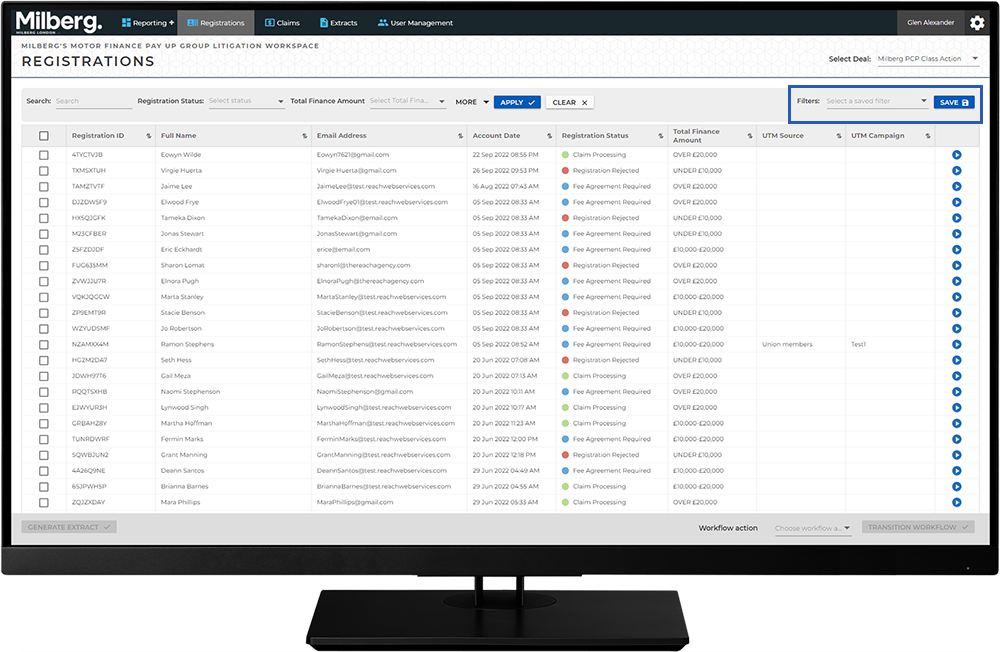
- Complete the fields in the Search bar with the values you are interested in. For example, Registration Status is Registration Rejected and Total Finance Amount is Under 10,000
- Select the filter Save button
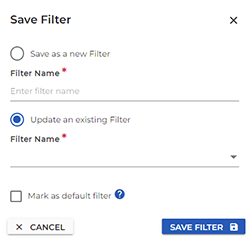
- Complete the Save Filter options and select the Save Filter button
Note: you can save a filter either before or after selecting the Apply button to conduct the search.