
Navigating the Management Workspace - List Page: Step 2 of 11
Searching
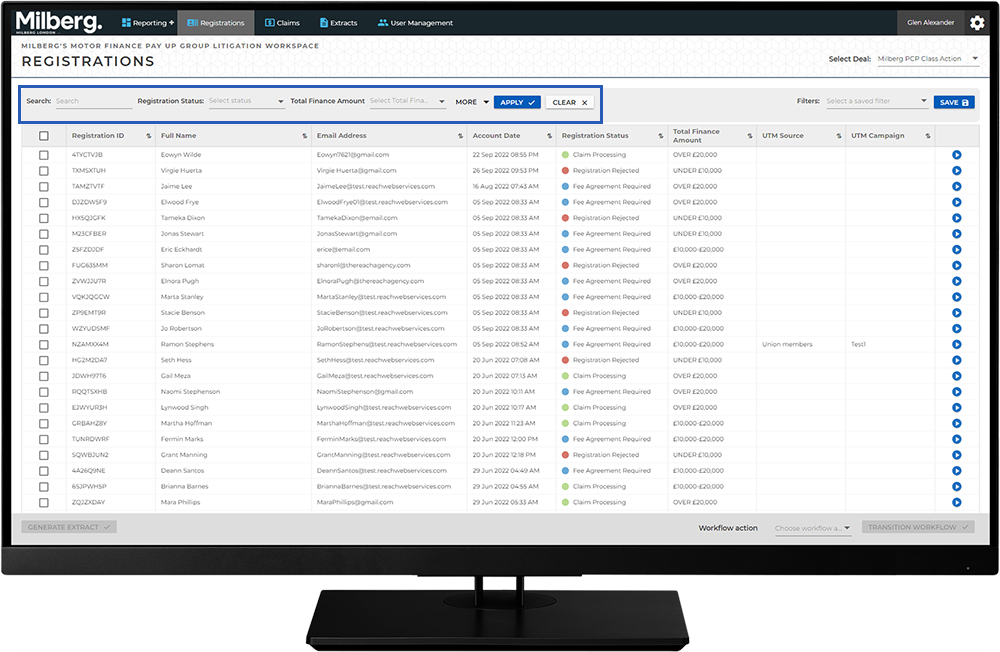
The data is searchable and workflow actions are carried out on one or more rows in the list.
The Search bar provides a way to lookup data that matches one or more specific values. Depending on the implementation of CaseRight, there may be one or more fields in the Search bar. Some columns in the list are more important to complete tasks specific to a legal matter. These columns a are listed on the search bar to allow for searching on more than one item.
For example, Registration Status is important for reports and reminders, so a question to answer might be: how many people with high value claims have submitted their fee agreement?
