
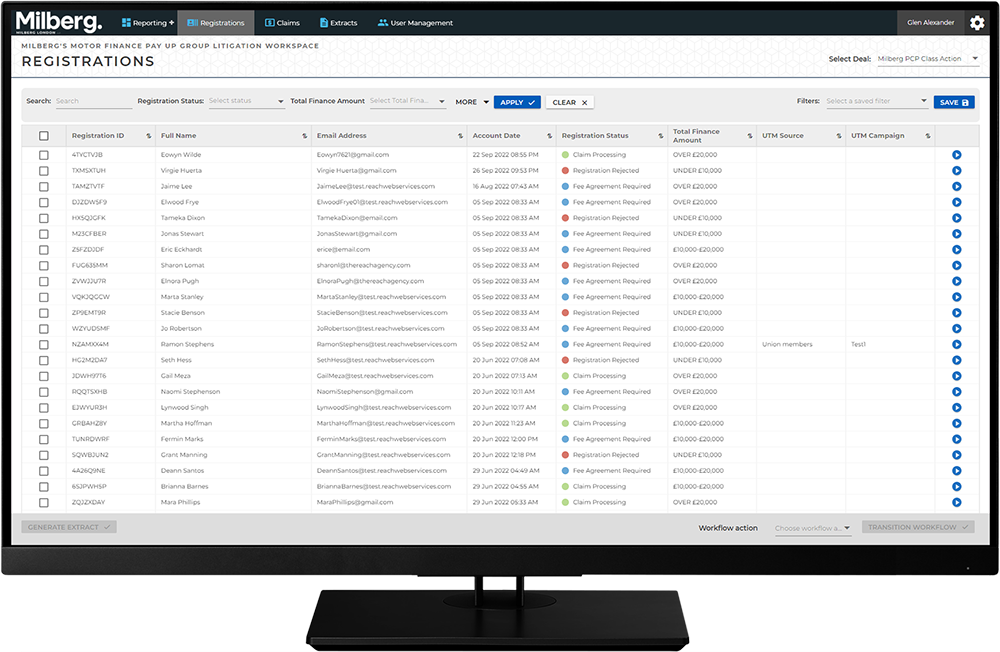
Conducting Work in the Workspace - How To: Workflow Actions: Step 1 of 7
Update a Registration for a Client
- Select the Registrations Menu
- Search to locate the right client
- Select the View Details button to access the Registration Details view
- In the Available Forms list, select the pencil to edit the client’s registration with updated information
- Select the Back button to return to the Registrations list view
- Select the checkbox by the client record
- From the Workflow Action dropdown choose Registration Rejected -> Fee Agreement Required
- Select the Transition Workflow button to change the Registration Status to Fee Agreement Required